How it works
Two journeys: how you buy, and how billing runs.
Sales-led enterprise access plus a connected claim-to-cash workflow inside the platform.
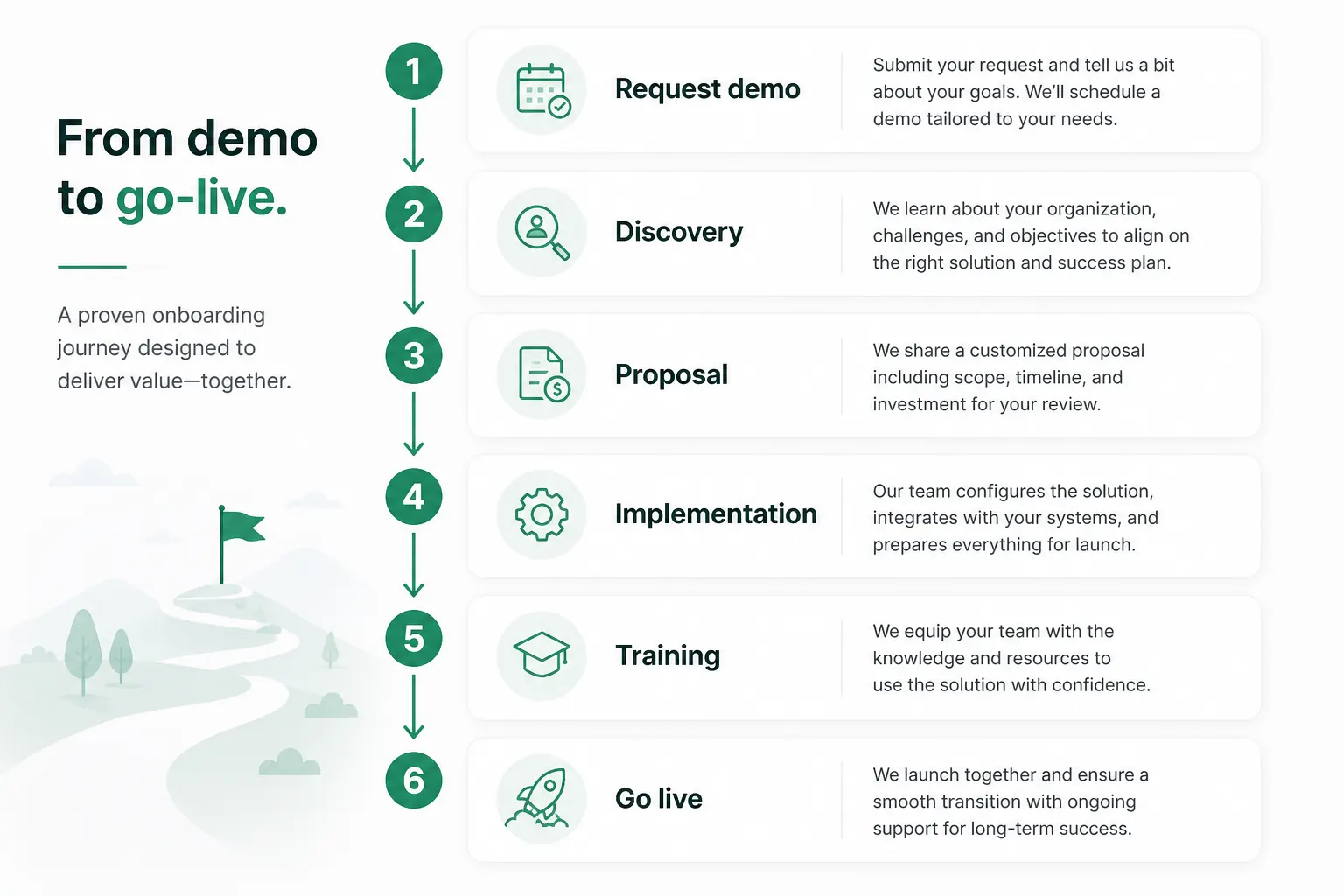
Buying journey
From first conversation to live billing operations.
- 1
Request demo
Submit the contact form — tell us your organization type, claim volume, and legacy system (if any).
- 2
Discovery
Guided walkthrough of Command Center, claims, EDI, and reporting mapped to your workflow.
- 3
Proposal
Tailored pricing based on organization size, claim mix (pro vs institutional), and service model.
- 4
Implementation
Practice setup, clearinghouse enrollment, user provisioning, and migration planning if replacing legacy RCM.
- 5
Training
Biller, denials, and manager training on your scoped workflows and reports.
- 6
Go live
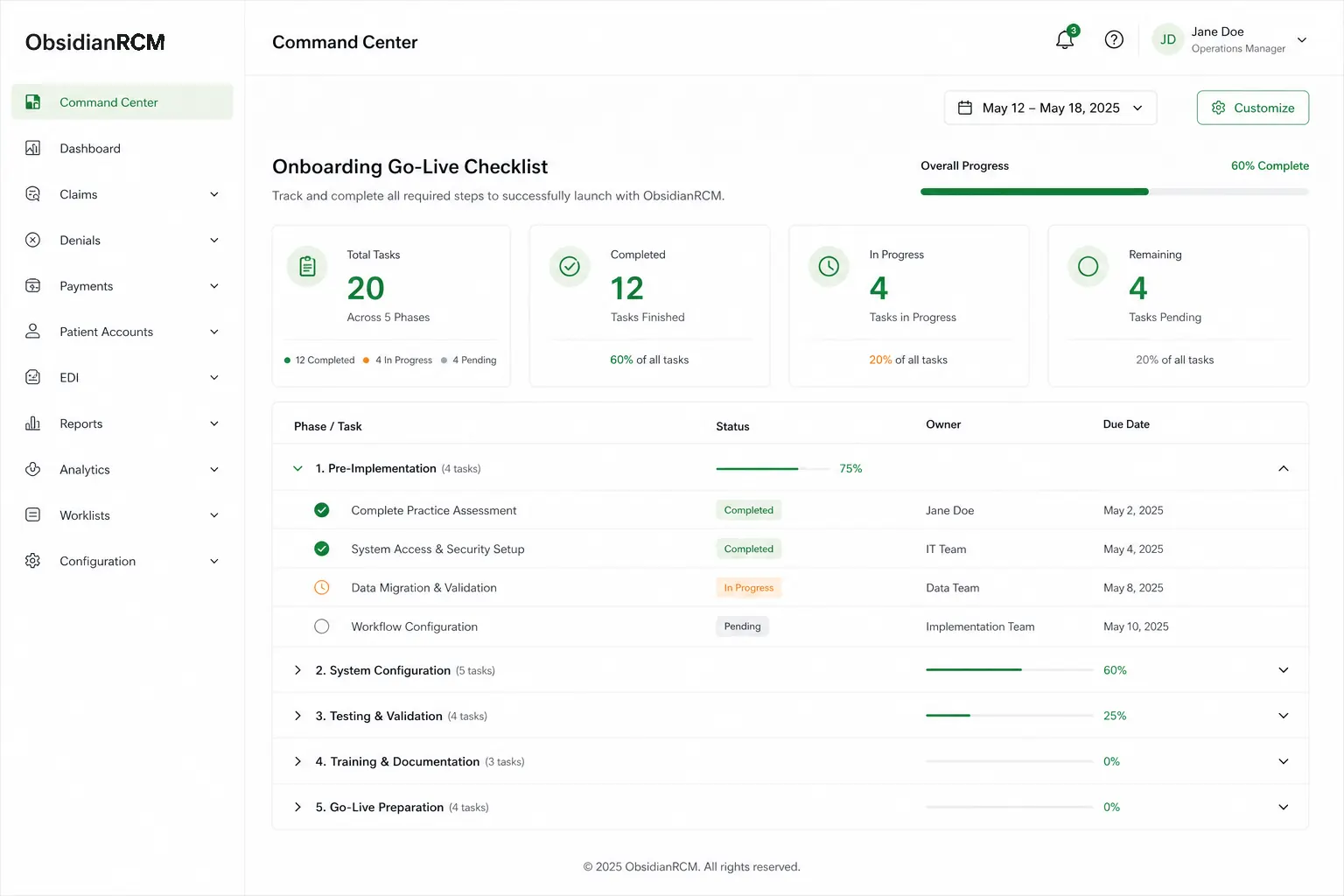
837 submit gates lift after onboarding checks pass — parallel running supported during migration.
Software workflow — claim to cash
How work moves through ObsidianRCM once your billing team is live. (Billing platform — charge data may arrive from your PM/EHR or import.)
Exception-only ops: automation handles steps where policy allows; Command Center surfaces what still needs a human.
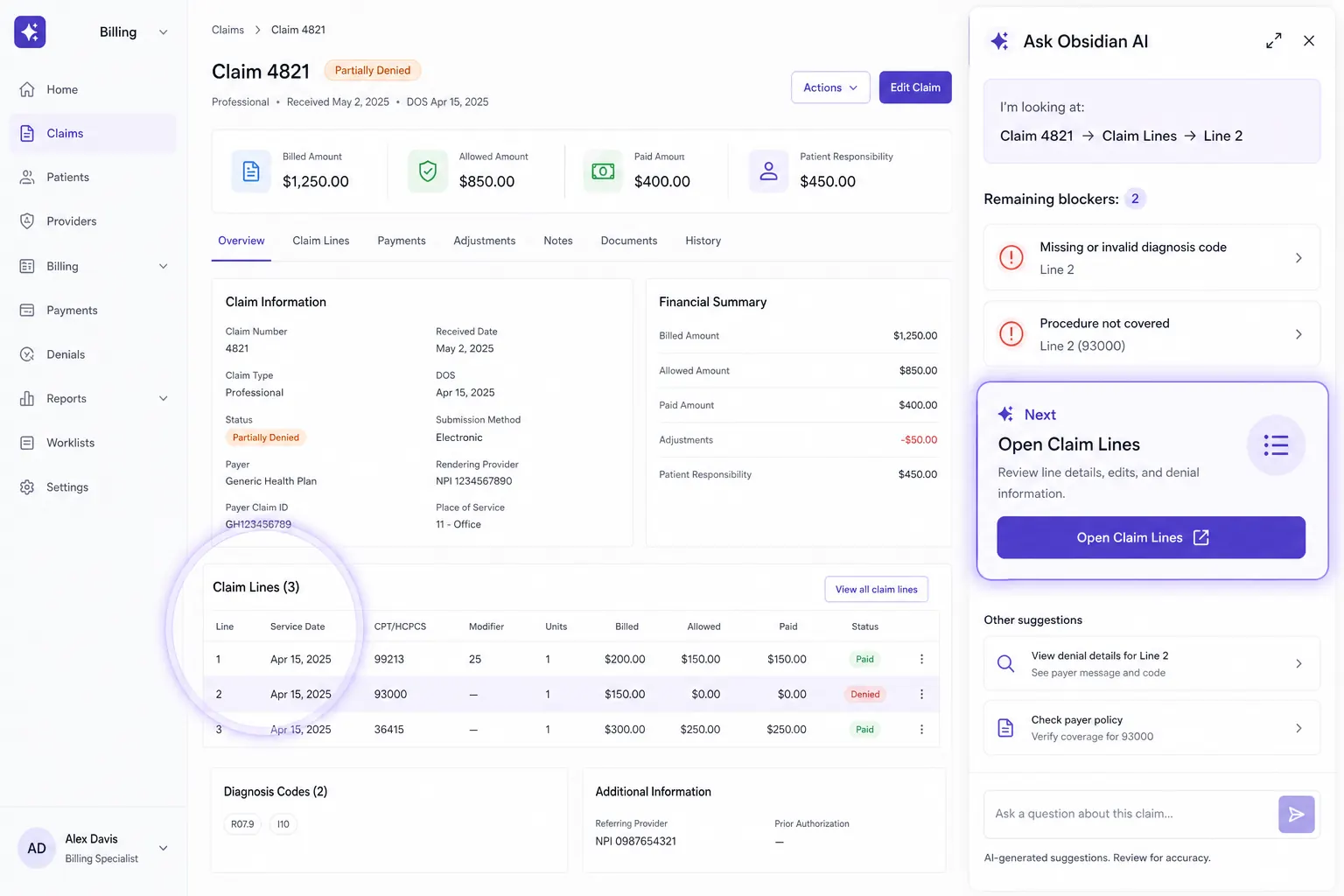
Obsidian AI — an assistant that watches your work
Turn blockers into clear next actions inside claim workflows.
- Context-aware guidance: AI sees what you’re looking at on claim detail and tells you what to fix.
- Next step highlights: one primary action at a time (Claim Lines / Validate / Submit queue).
- Validation-driven progress: after you edit and re-run validation, AI continues with the next blocker.
- Human-in-the-loop: AI assists throughout, while you stay in full control.
Designed to feel like an operating layer — not a chat box.
Replacing legacy billing software?
Many teams migrate from aging RCM tools or fragmented billing stacks onto a modern platform.
- CSV import and structured migration sessions
- Parallel running before cutover
- Training on ObsidianRCM billing workflows
- Go-live checklist with 837 submit gates
Ready to start?
Request a demo or contact sales to begin discovery.